Learn how you can view the users of the application
Lango > Settings
1. Follow the above-mentioned workflow to land on the My Profile screen.
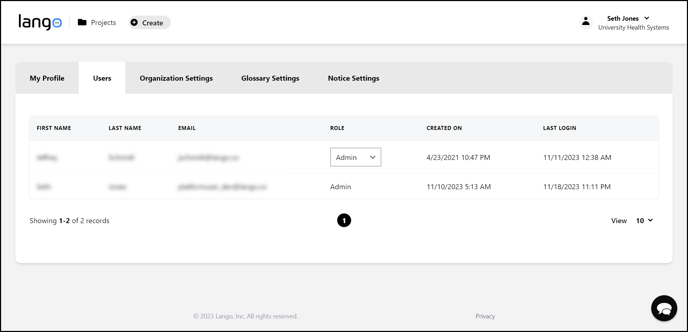
2. Click the Users tab located next to the My Profile tab. This takes you to the Users grid.

3. Here, all users of the application are listed. Information for each user is tabulated via various columns that include First Name, Last Name, Email, Role, Created On, and Last Login.