
Learn how you can create a notice in Lango
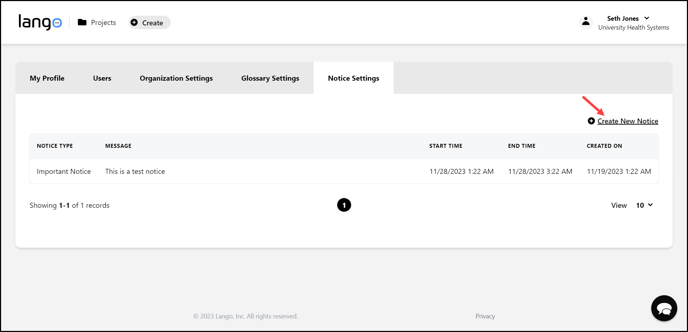
Lango > Settings > Notice Settings
1. Follow the above-mentioned workflow to land on the Notice Settings screen.
2. Click the  button located at the top-right corner of the grid. Doing so opens the Create New Notice popup.
3. Here, select the type of notice using the Notice Type dropdown.

4. Use the Start Time date selector to select the start time of the notice.

5. Similarly, select the end time for the notice using the End Time date selector.

6. Enter the message you want to display via the notice using the Notice Message textbox.

7. Once the required information is filled, click the  button.
