- Lango Learning
- Clients
- Project
How to Change the Status of a Project?
Learn how you can change the project status
Lango > Projects > Select Project
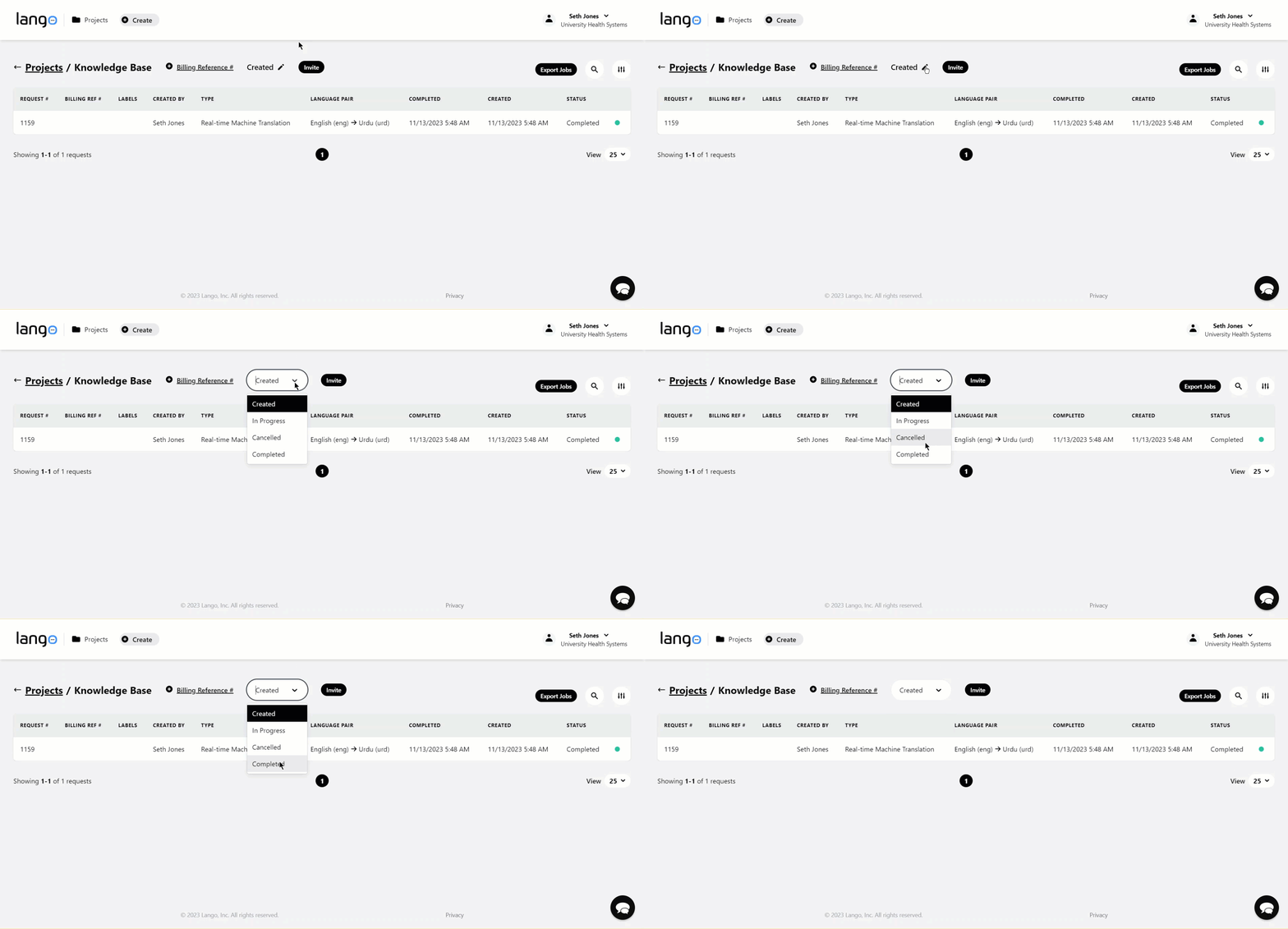
1. Follow the above-mentioned workflow to land on the Requests screen.
2. Here, the project status is displayed next to the Billing Reference #. Clicking the pencil icon next to it opens the status dropdown from where you can choose a different status.