- Lango Learning
- Clients
- Settings
How to Access Settings?
Learn how to access settings
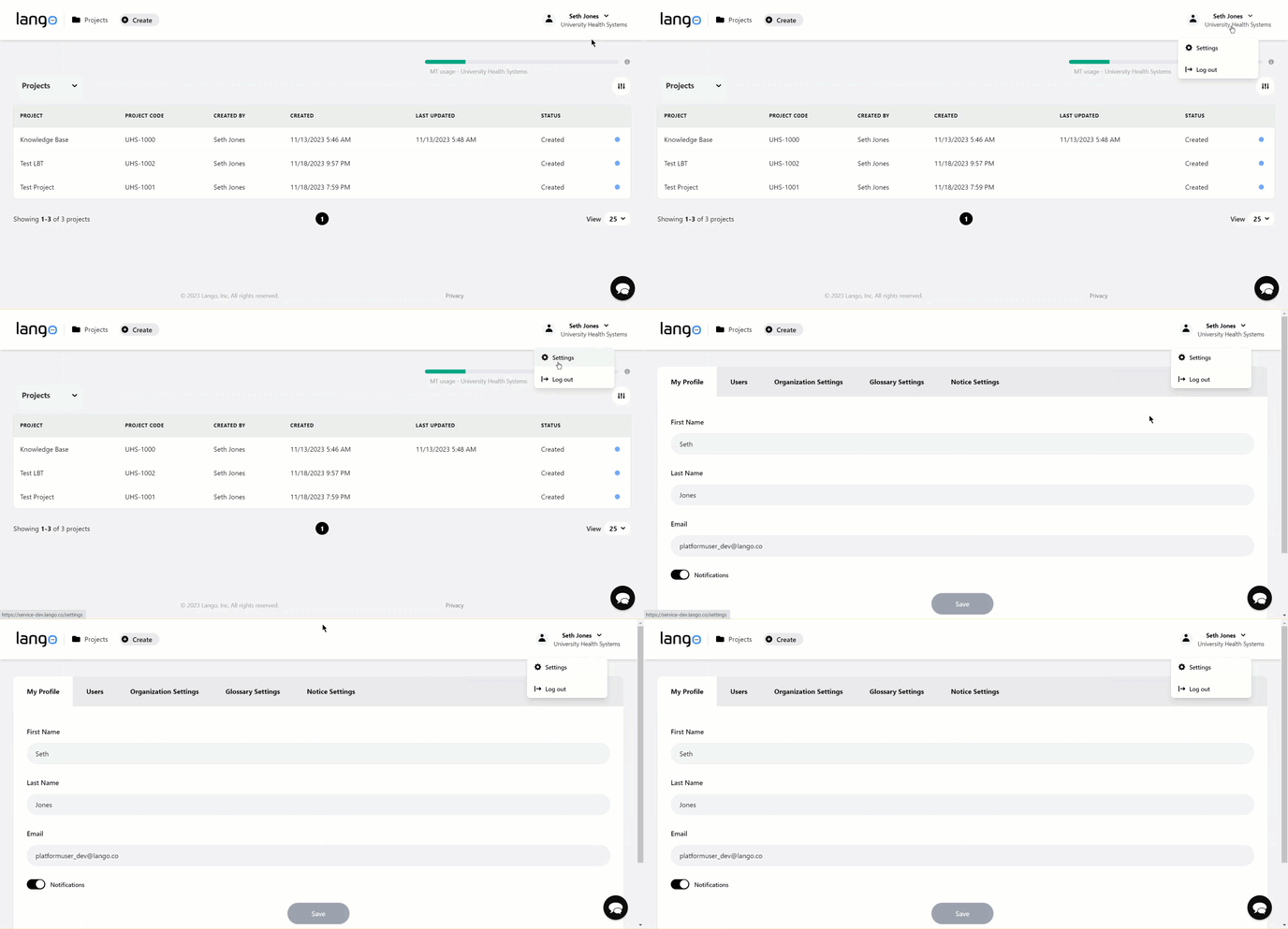
1. Upon successful login, click the username displayed at the top-right corner of the screen. Doing so reveals a couple of options.
2. From here, click Settings. This takes you to the Settings screen.